

How to Use a Digital Planner for Studying

School gives you deadlines. A planner gives you the calm that comes from knowing exactly what is due when.
The student version of a planner system is simple on purpose — if it takes more than ten minutes a week, you will stop using it during exam season, which is exactly when you need it most. Here is the system.
Set up the term once
At the start of each term, spend twenty minutes on setup:
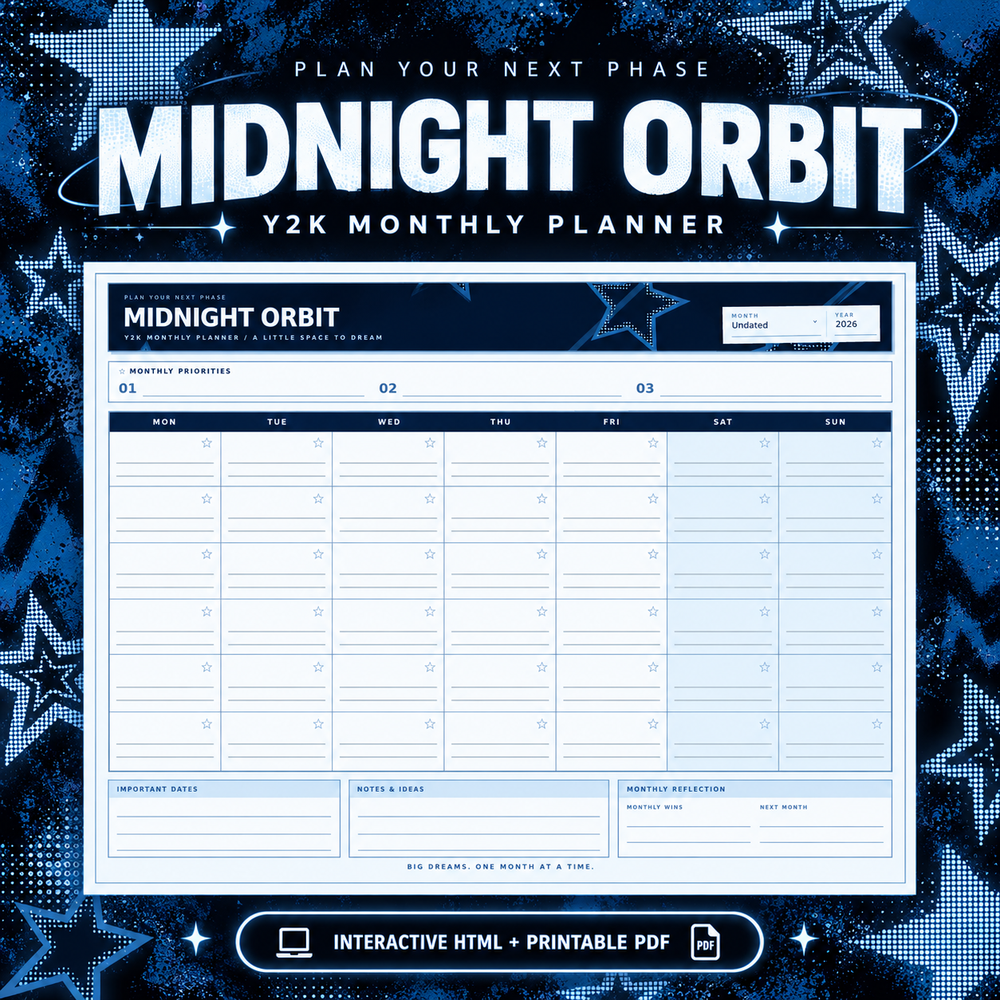
- Enter every known deadline — assignments, projects, lab reports — on the monthly pages, with a small marker on the week they are due.
- Enter exam dates the day they are announced, not the week before. Future-you will be grateful.
- Add fixed commitments — classes, work shifts, club meetings — so the weekly pages show your real available time.
- Create one page per course in the notes section: syllabus, grading breakdown, professor's office hours. One page, updated as things change.
That is the whole setup. Everything after this is a weekly habit.
Track assignments and exams
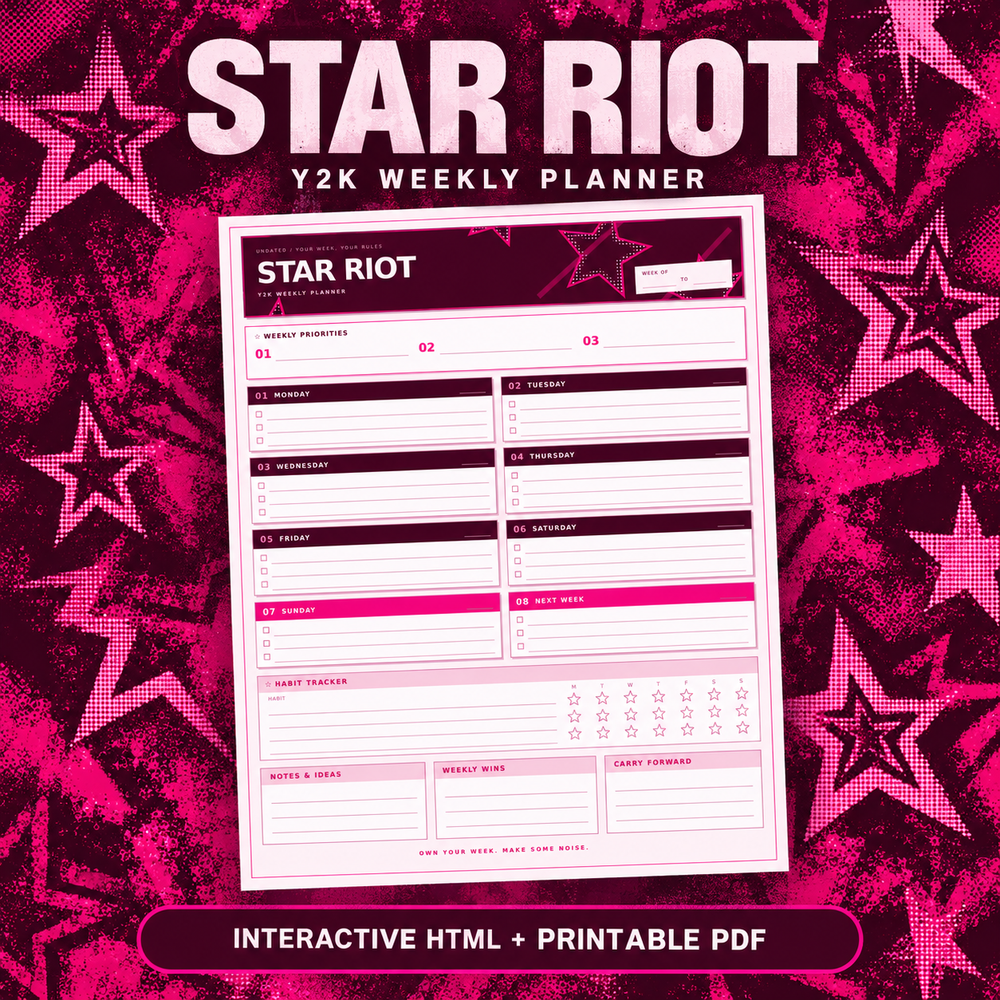
For each assignment, capture four things on the weekly page:
- What — "Problem set 3" beats "math homework."
- Due date and time — not just the day. 11:59 PM is a different deadline than 9 AM.
- First step — the smallest action that starts it: "read the brief," "open the template." Assignments die when the first step is vague.
- Status — tick the checkbox when done, not when started.
Exams get their own treatment: a countdown on the monthly page ("Calc midterm — 12 days") and a study block on each weekly page. A countdown you can see beats a date you remember.
The weekly study plan
Every Sunday (or Friday night, if Sundays are busy), plan the coming week in ten minutes:
- Write three priorities for the week. Not ten. Three. If everything is a priority, nothing is.
- Block study sessions, not subjects. "Library 7–9 PM Tue" works. "Study chemistry" is a wish.
- Put one buffer block in the middle of the week. Something always slips; the buffer is where it lands.
- Check next week's deadlines and pull anything due into today's page.
Ten minutes, once a week. That is the entire planning load.
The weekly review
Friday or Sunday, five minutes:
- What got done? Tick it, feel it.
- What slipped? Move it — do not rewrite it, do not feel bad, just move it.
- What is due next week? It should already be on the page.
This review is the difference between a planner that works and a planner that guilt-tacks you. A planner is a tool for moving work, not a record of failure.
Exam season mode
Two weeks before exams, the system shifts slightly:
- Daily pages become study logs. Each session gets a block: subject, topic, pages or problems covered.
- One page per exam in the notes: format, topics, weak spots, and a plan. Update it after each study session.
- Weekly priorities shrink to exam prep. Everything else waits. This is what priorities are for.
Why digital works well for this
Paper planners can do all of the above — but a digital planner adds three student-specific advantages:
- Search. "When was that essay due?" is one search, not forty pages of flipping.
- Duplication. Copy last term's setup, change the dates, done. Second term takes five minutes, not twenty.
- Backups. A spilled drink cannot eat your semester. (More on digital vs paper.)
And if you type faster than you write, the HTML version of your planner turns the daily log into a keyboard task — no stylus required. (How the two formats differ.)
Start with three things
If this feels like a lot, ignore everything except: enter this week's deadlines, write three priorities on Sunday, do a five-minute review on Friday. Everything else can wait until those three are habit.
For students starting out: the Star Riot Weekly Planner ($6.99) is built for exactly this weekly rhythm, and the Dream Loud Complete Bundle ($24.99) adds monthly, quarterly, and yearly pages for term-level tracking. More ways to use your pages: 15 digital planner ideas.