

What Is a Hyperlinked Digital Planner?

Every digital planner listing mentions it: "hyperlinked." It sounds like a technical spec. It is actually the single feature that makes digital planning usable.
Here is what hyperlinking means, how it works in practice, and why a planner without it feels broken.
What "hyperlinked" means
A hyperlinked digital planner is a PDF or HTML file with invisible clickable areas built into the design. Tap a tab on the index page and you jump straight to that section. Tap the little arrow in the corner and you are back at the index.
Same idea as links on a website — except the pages are planner spreads.
In practice it means:
- An index or dashboard page with tappable tabs for every section — months, weeks, notes, trackers.
- Navigation buttons on each spread: next month, previous month, back to index.
- No scrolling through 300 pages to find March. One tap, done.
How the navigation works
The links are embedded in the file itself, so they work in any app that respects PDF links — which is nearly all of them:
- GoodNotes (iPad) — taps jump sections; the most popular choice
- Noteshelf (iPad/Android) — same behavior
- Any PDF reader — links generally work, though note apps are smoother
- Browsers (for HTML planners) — clicking works exactly like a website
One thing to know: links jump you to the right page, but they do not remember where you came from. That is why every good planner also puts a "back to index" button on the spreads themselves — use it instead of swiping back through fifty pages.
PDF vs HTML linking
Both formats support navigation, with one practical difference:
PDF planners are opened inside a note app, so you can both tap links and write on the pages with a stylus. The links and the handwriting live in the same place.
HTML planners open in a browser and are built for typing. The links work identically — click a tab, jump to a section — but the file is not a PDF, so it cannot be imported into a note app.
If you want links plus handwriting, that is the PDF side of a dual-format planner. (PDF vs HTML, compared properly.)
Why it matters more than it sounds
A non-hyperlinked digital planner is just 300 pages you have to scroll through. On a tablet, dragging to page 214 with your pinky gets old in about two days — and "getting old" is how digital planners end up abandoned.
Hyperlinking turns the file into a system:
- Morning check-in: tap today's date on the dashboard, done.
- Monthly review: jump from December straight to the yearly overview, compare, jump back.
- Mid-year reset: reorder or duplicate sections without breaking anything.
The planner starts behaving like an app instead of a PDF.
How to check before you buy
Not every listing is honest about linking. Three quick checks:
- Look at the product photos for a dashboard or index page. Tabs that look like buttons usually are buttons.
- Check the description for "hyperlinked" or "clickable navigation." If it says nothing about navigation, assume there is none.
- Ask the seller. One message — "are the tabs hyperlinked in GoodNotes?" — gets you a straight answer from anyone reputable.
Every planner in our shop is fully hyperlinked in both the PDF and HTML versions, with an index page and back-buttons on every spread.
Getting set up
Links work the moment you open the file, but a two-minute setup makes them better: import the planner into GoodNotes (step-by-step here), open the dashboard, and tap through each section once so you know the map.
After that, navigation is muscle memory.
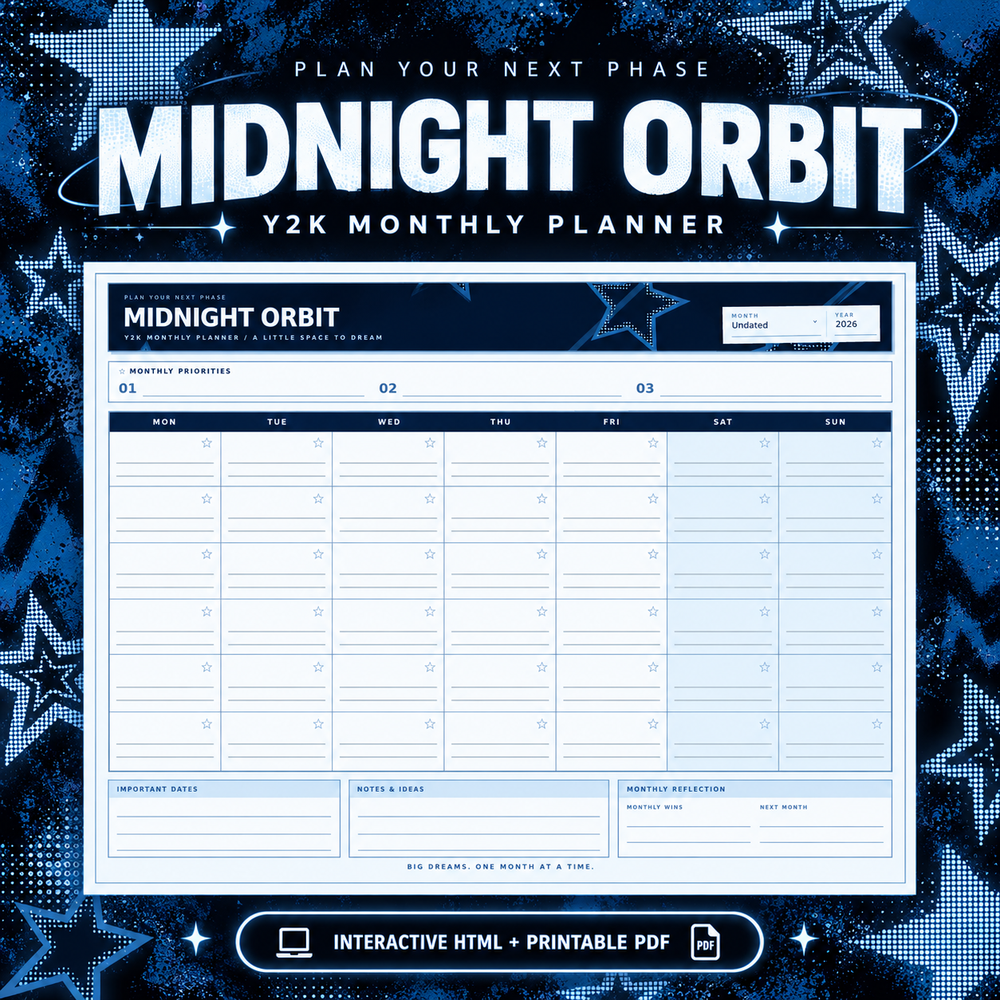
Browse hyperlinked planners: the Dream Loud Complete Y2K Planner Bundle ($24.99) has every page type with full navigation in PDF and HTML. Prefer to start small? The Midnight Orbit Monthly Planner is $7.99 and shows off the tab system on its own.